Hairy Face Salon 2 - Monster Shave Makeover1.5
Publisher Description
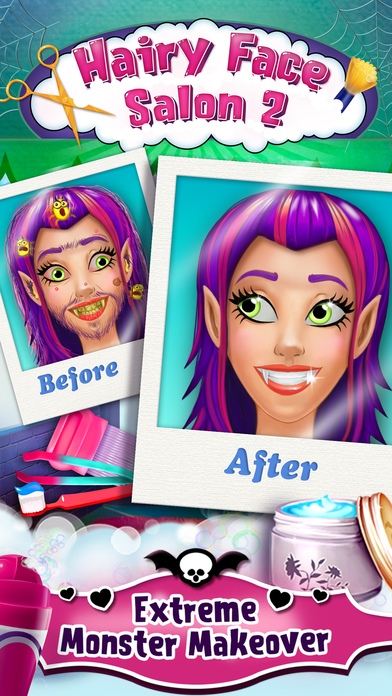
~~> Welcome back to the Hairy Face Salon! The most fashionable monster salon on the app store!
~~> These adorable monsters need a scary cool makeover for their first day of high school! Can you help them out?!
~~> Run your own salon! Shave, tweeze, wax and pick lice from your monsters hair!
After the smashing success of Hairy Face Salon, we are excited to bring you Hairy Face Salon 2 -- Monster Shave Makeover! Help these fabulous monsters get ready for their first day of high school! Choose from 4 scary cute monsters and get to work. Tweeze, wax, shave and more! Use facial tools to pop pimples and remove warts. Make fresh mouthwash and don t forget to brush the monsters teeth! Some of your monsters will even have lice and need your help to pick the tiny creatures out of their hair! Make these monsters look drop dead gorgeous at the Hairy Face Salon!
Features:
> Shave facial hair with electric shavers.
> Shape eyebrows with professional tweezers.
> Wax beards with freaky wax strips.
> Tap the lice comb to get rid of itchy lice.
> Pop zits with special gloves and a magnifying glass!
> Treat irritated zits with creepy bandages.
> Remove warts with the wart remover.
> Brush teeth and make your own mouthwash!
> Use face cream, q-tips, eye-drops & more to freshen up your monsters!
> Snap a picture to show off your monster s new look!
What's inside:
4 scary cute monsters
14 special treatment tools
16 creepy bandages
9 freaky wax strips
Make Your Own Mouthwash mini game
Pick the Lice mini game
ABOUT TabTale
With over 850 million downloads and growing, TabTale has established itself as the creator of pioneering virtual adventures that kids and parents love. With a rich and high-quality app portfolio that includes original and licensed properties, TabTale lovingly produces games, interactive e-books, and educational experiences. TabTale s apps spark children s imaginations and inspire them to think creatively, while having fun!
Visit us: http://www.tabtale.com/
Like us: http://www.facebook.com/TabTale
Follow us:@Tabtale
Watch us: http://www.youtube.com/iTabtale
CONTACT US
Let us know what you think! Questions? Suggestions? Technical Support? Contact us 24/7 at: WeCare@TabTale.com.
IMPORTANT MESSAGE FOR PARENTS:
* This App is free to play, but certain in-game items may require payment. You may restrict in-app purchases by disabling them on your device.
* By downloading this App you agree to TabTale s Privacy Policy and Terms of Use at: http://tabtale.com/privacy-policy/ and at: http://tabtale.com/terms-of-use/.
Please consider that this App may include third parties services for limited legally permissible purposes.
Requires iOS 6.0 or later. Compatible with iPhone, iPad, and iPod touch.
About Hairy Face Salon 2 - Monster Shave Makeover
The company that develops Hairy Face Salon 2 - Monster Shave Makeover is Kids Fun Club by TabTale. The latest version released by its developer is 1.5.
To install Hairy Face Salon 2 - Monster Shave Makeover on your iOS device, just click the green Continue To App button above to start the installation process. The app is listed on our website since 2014-04-30 and was downloaded 13 times. We have already checked if the download link is safe, however for your own protection we recommend that you scan the downloaded app with your antivirus. Your antivirus may detect the Hairy Face Salon 2 - Monster Shave Makeover as malware if the download link is broken.
How to install Hairy Face Salon 2 - Monster Shave Makeover on your iOS device:
- Click on the Continue To App button on our website. This will redirect you to the App Store.
- Once the Hairy Face Salon 2 - Monster Shave Makeover is shown in the iTunes listing of your iOS device, you can start its download and installation. Tap on the GET button to the right of the app to start downloading it.
- If you are not logged-in the iOS appstore app, you'll be prompted for your your Apple ID and/or password.
- After Hairy Face Salon 2 - Monster Shave Makeover is downloaded, you'll see an INSTALL button to the right. Tap on it to start the actual installation of the iOS app.
- Once installation is finished you can tap on the OPEN button to start it. Its icon will also be added to your device home screen.
